DelphiMVCFramework 3.5.0-silicon: from middleware to filters, what will change for your server?
🇮🇹 Italiano • 🇪🇸 Español • 🇩🇪 Deutsch • 🇫🇷 Français • 🇧🇷 Português

A classic DelphiMVCFramework middleware has four methods. An HTTP filter has a single procedure. Why did I change a mechanism that had worked for years, where do the four hooks end up, in what order do you register the filters, and what happens to the server you already have in production?
For years, the way to hook code into the lifecycle of a request in DelphiMVCFramework has been middleware, with AddMiddleware. HTTP filters, with UseHTTPFilter, arrived with the 3.5 Minimal API, the one from the RC6 post. Now filters take the place of middleware wherever an equivalent exists: seventeen middleware are marked deprecated, each with its own filter. It will be in RC9 of 3.5.0-silicon.
✅ This is not a breaking change. Your current servers keep working the same way, with no changes and no problems.
In 3.5.0-silicon filters are an additional feature: the middleware stay where they are, and the compiler shows a warning for every middleware marked deprecated. The breaking change will come in 4.0, where the middleware will be removed altogether.
DelphiMVCFramework is the most popular framework of its kind on GitHub for Delphi, with over 50 contributors, and it is used in critical environments: hospitals, banks, factories, video games, ERPs with hundreds of users. That is why I decided on a soft transition, without trauma.
In this article I talk about HTTP filters, the ones that run before routing.
Two responsibilities in one class
Until now a middleware did two things. With OnBeforeRouting and OnAfterRouting it influenced routing: it could respond before the router looked at the request, to serve a static file, issue a redirect or respond to a CORS preflight, and at the end of the request observe or modify the response, as ETag and analytics do. With OnBeforeControllerAction and OnAfterControllerAction it controlled how actions were executed. Four methods in a single class, for two different jobs.
Anyone who knows me, or has followed one of my courses, knows how much weight I give to the SOLID principles. Finding a class with two jobs in my most popular open source project really bothered me. Every time I worked on a middleware I saw it: either you used the routing pair of methods (OnBeforeRouting and OnAfterRouting) and left the other two empty, or you implemented the endpoint pair (OnBeforeControllerAction and OnAfterControllerAction), which already knows controller and action because it runs after routing. It was obvious that this component needed refactoring. Now the time has come.
It was a violation of the single responsibility principle (SRP). I fixed it with a mechanism that exists in many frameworks: a function that receives the request and a next to call to hand over to whoever comes after. It is used by Express (next()) and Koa (await next()) in Node.js, ASP.NET Core (await next(context)) in C#, Laravel ($next($request)) in PHP, Starlette and FastAPI (call_next) in Python, Gin (c.Next()) in Go and axum (next.run(request)) in Rust.
It is the Chain of Responsibility in the variant called Intercepting Filter: each link can act before, hand over with next and act after, or stop. In DelphiMVCFramework that next is called ANext. This article covers the first half of the work: the filters that run before routing.
How an HTTP filter works
An HTTP filter is this procedure:

Copy the code
procedure(const AContext: TWebContext; const ANext: TMVCHTTPFilterNext)
It wraps the whole request: the classic middleware, routing and the action. What you write before ANext() runs before everything else, what you write after runs when the response is complete, that is, after the action. To stop the request you don’t call ANext(), and no action is executed.
It is called HTTP because it works at the protocol level: it sees method, headers and body of the request and of the response. It works with HTTPS too, because TLS encryption sits at a lower level and the filter receives the request already decrypted.
| Classic middleware | HTTP filter | |
|---|---|---|
| Interface | IMVCMiddleware, four methods | a procedure with AContext and ANext |
| Registered with | AEngine.AddMiddleware(...) | AEngine.UseHTTPFilter(...) |
| When it runs | at the four points of the cycle, in registration order | around the whole request: classic middleware, routing and action |
| Before and after | two separate methods | same procedure: before and after ANext() |
| To stop the request | Handled := True | you don’t call ANext() |
| Controllers | yes | yes |
UseHTTPFilter is a method of TMVCEngine and returns TMVCEngine, so you can chain the calls. The ready-made filters are in MVCFramework.Filters.
The HTTP filter works with controllers and with the Minimal API in the same way, which is why the wizard can use the same chain in both cases. Filters are covered at length in chapter 12 of the official guide, second edition.
Where do the four hooks go?
OnBeforeRoutingbecomes the code beforeANext().OnAfterRoutingbecomes the code afterANext(). The name is misleading: it fires at the very end, not right after routing. With atry..finallyaroundANext()that code runs even when the action raises an exception. In the classic middlewareOnAfterRoutingis skipped in that case.OnBeforeControllerActionandOnAfterControllerActionhave no equivalent in an HTTP filter. They receive the name of the controller and the name of the action, which are known only after routing, while the HTTP filter wraps the whole request without knowing them. The filter that runs after routing has them,UseEndpointFilter: it is the second responsibility, the one I talk about at the end.
A hand-written filter
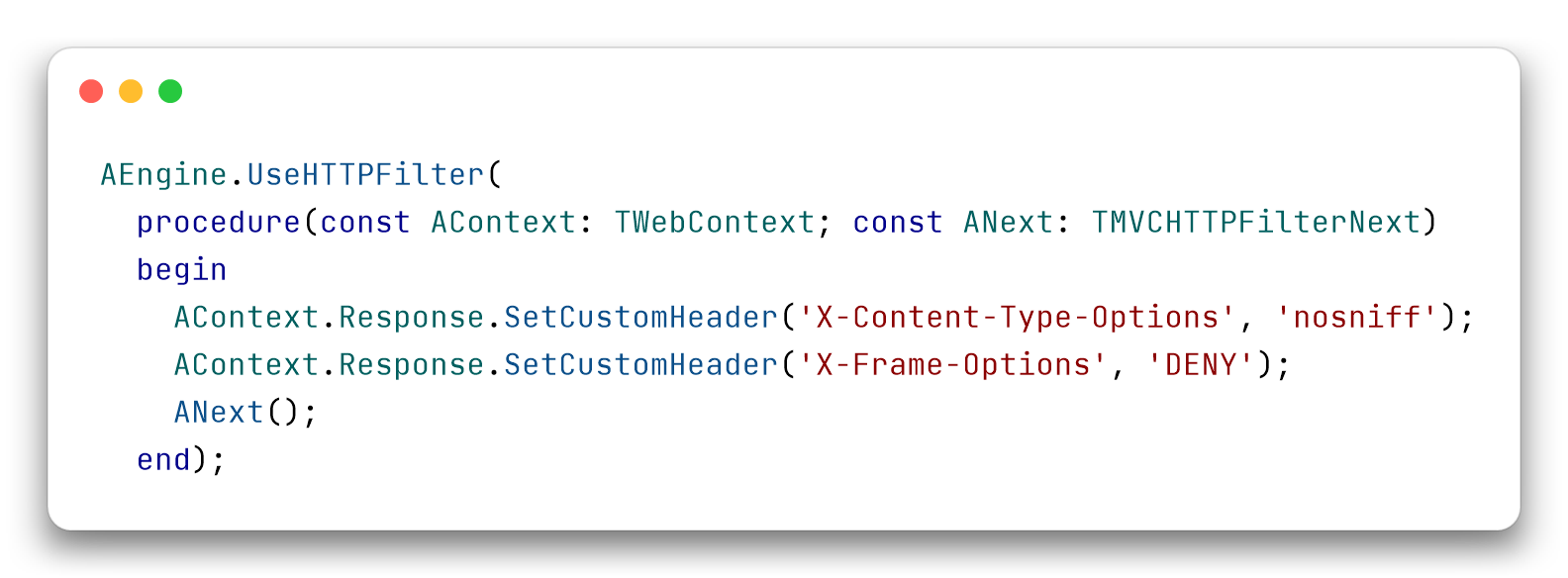
To write a filter you don’t need a class: you pass UseHTTPFilter an anonymous method with the signature you just saw. This one adds two security headers to every response:
Copy the code
AEngine.UseHTTPFilter(
  procedure(const AContext: TWebContext; const ANext: TMVCHTTPFilterNext)
  begin
    AContext.Response.SetCustomHeader('X-Content-Type-Options', 'nosniff');
    AContext.Response.SetCustomHeader('X-Frame-Options', 'DENY');
    ANext();
  end);
You set the headers before ANext(), so an action that wants a different value overwrites it. The ready-made SecurityHeaders() filter sets X-XSS-Protection: 0 and X-Content-Type-Options: nosniff. This one is hand-written to show the shape, and it adds X-Frame-Options.
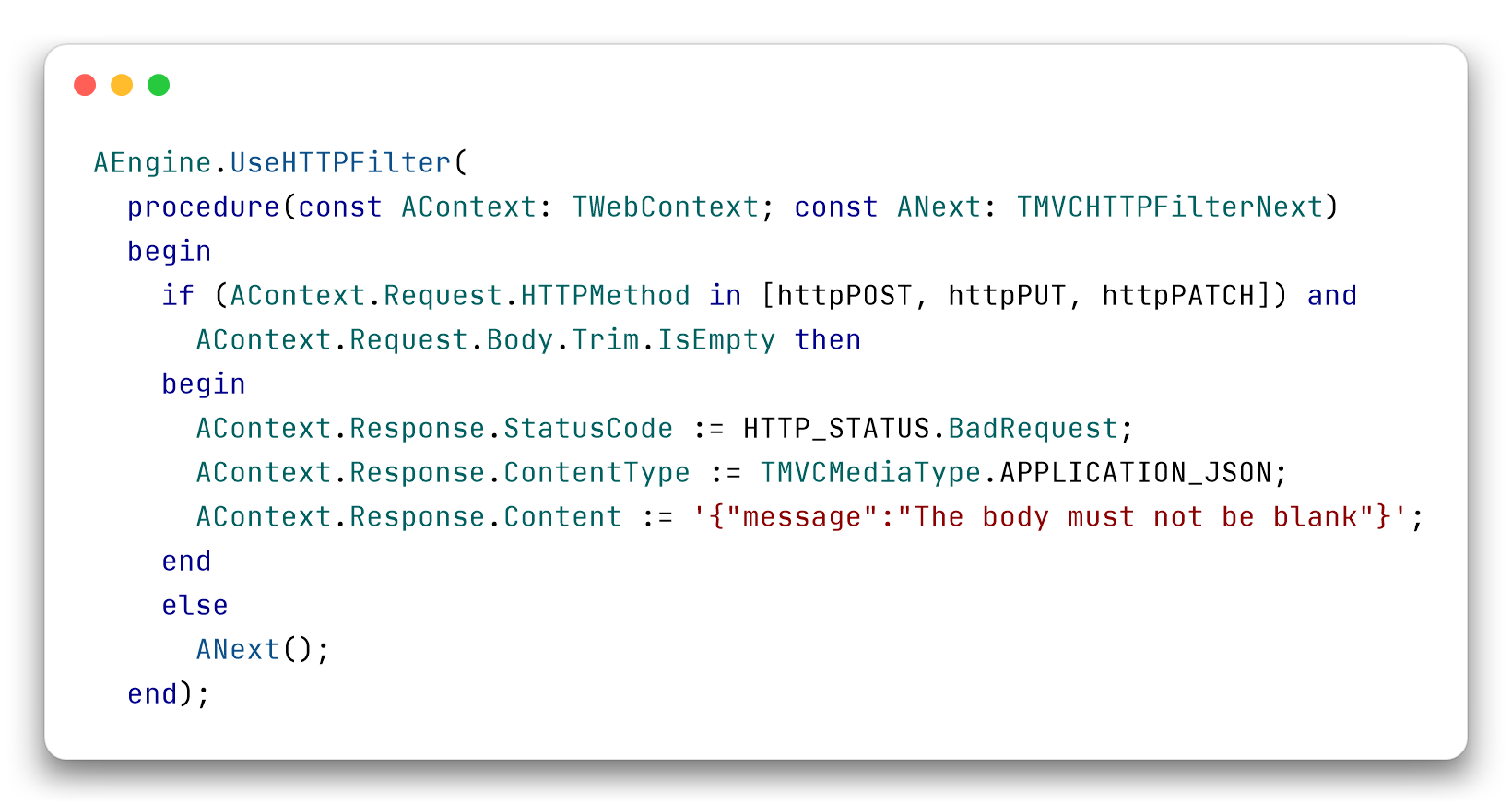
A filter can also stop the request. This one responds with 400 to POST, PUT and PATCH requests that have an empty body, or one made only of whitespace, before routing looks at them:
Copy the code
AEngine.UseHTTPFilter(
  procedure(const AContext: TWebContext; const ANext: TMVCHTTPFilterNext)
  begin
    if (AContext.Request.HTTPMethod in [httpPOST, httpPUT, httpPATCH]) and
      AContext.Request.Body.Trim.IsEmpty then
    begin
      AContext.Response.StatusCode := HTTP_STATUS.BadRequest;
      AContext.Response.ContentType := TMVCMediaType.APPLICATION_JSON;
      AContext.Response.Content := '{"message":"The body must not be blank"}';
    end
    else
      ANext();
  end);
ANext() is in the else branch: when the filter rejects the request, ANext() is not called and no controller sees it.
The seventeen deprecated middleware
Seventeen middleware are marked deprecated: fourteen TMVC...Middleware classes and three Use...SessionMiddleware functions, which create the session middleware. Each has its own filter in MVCFramework.Filters:
| Deprecated middleware | Filter | How you register it |
|---|---|---|
TMVCRedirectMiddleware | Redirect | UseHTTPFilter(Redirect(['/'], '/web')) |
TMVCStaticFilesMiddleware | StaticFiles | UseHTTPFilter(StaticFiles('/static', lWwwPath)) |
TMVCAnalyticsMiddleware | Analytics | UseHTTPFilter(Analytics()) |
TMVCTraceMiddleware | Trace | UseHTTPFilter(Trace()) |
TMVCCompressionMiddleware | Compression | UseHTTPFilter(Compression(1024)) |
TMVCETagMiddleware | ETag | UseHTTPFilter(ETag()) |
TMVCCORSMiddleware | CORS | UseHTTPFilter(CORS('*')) |
TMVCSecurityHeadersMiddleware | SecurityHeaders | UseHTTPFilter(SecurityHeaders()) |
TMVCShutdownMiddleware | Shutdown | UseHTTPFilter(Shutdown('apikey', 'a-strong-secret')) |
TMVCRangeMediaMiddleware | RangeMedia | UseHTTPFilter(RangeMedia('/static/media', 'static/media')) |
TMVCSwaggerMiddleware | Swagger | UseHTTPFilter(Swagger(AEngine, lSwaggerInfo, '/openapi.json')) |
TMVCOpenAPI3Middleware | OpenAPI | UseHTTPFilter(OpenAPI(AEngine, lOpenAPIInfo, '/openapi.json')) |
TMVCRateLimitMiddleware | RateLimit | UseHTTPFilter(RateLimit(lRateLimitOptions)) |
TMVCActiveRecordMiddleware | ActiveRecordFilter | UseHTTPFilter(ActiveRecordFilter('conn_def_name', 'FDConnectionDefs.ini')) |
UseMemorySessionMiddleware | MemorySessionFilter | UseHTTPFilter(MemorySessionFilter(10, [scfHttpOnly, scfSecure])) |
UseFileSessionMiddleware | FileSessionFilter | UseHTTPFilter(FileSessionFilter(10, 'sessions', [scfHttpOnly, scfSecure])) |
UseDatabaseSessionMiddleware | DatabaseSessionFilter | UseHTTPFilter(DatabaseSessionFilter(10, [scfHttpOnly, scfSecure])), after ActiveRecordFilter |
ActiveRecordFilter and DatabaseSessionFilter are not in MVCFramework.Filters but in MVCFramework.Filters.ActiveRecord, Swagger is in MVCFramework.Filters.Swagger and OpenAPI in MVCFramework.Filters.OpenAPI. This way the base layer does not depend on FireDAC, on SwagDoc or on the OpenAPI emitter. If you use those filters, add the unit to your uses; the signatures don’t change.
WaitForShutdownOrConsoleReturn, which in the Shutdown middleware was a class method, is now a procedure of MVCFramework.Filters. StaticFiles also has an overload that takes a TMVCStaticFilesOptions, with the options of the classic middleware: charset, fallback for single page applications, MIME type customization, per-request rules.
The last five are new filters that controllers can use as well:
- The session filters attach the session factory to every request, and
Context.Sessionis used as always.DatabaseSessionFiltermust be registered afterActiveRecordFilter. ActiveRecordFiltertakes the connection before the dispatch and releases it in afinally, even when the action raises an exception. The additional connections apply to every instance of the filter: the middleware enabled them only for the first one in the process.RateLimitwithTMVCRateLimitOptionshas the same options and the same response as the middleware: key by IP, user, API key or custom, excluded path prefixes, prefix of theX-RateLimit-*headers, a callback when a request is rejected. The response is 429 withRetry-Afterand a JSON body.RateLimit(10, 60)stays as it was.
If your code still uses one of these middleware, the compiler tells you this:
[dcc32 Warning] W1000 Symbol 'TMVCStaticFilesMiddleware' is deprecated: 'Use the StaticFiles HTTP filter (MVCFramework.Filters): AEngine.UseHTTPFilter(StaticFiles(...))'
It is a warning, not an error. The code keeps compiling and working.
What the wizard generates
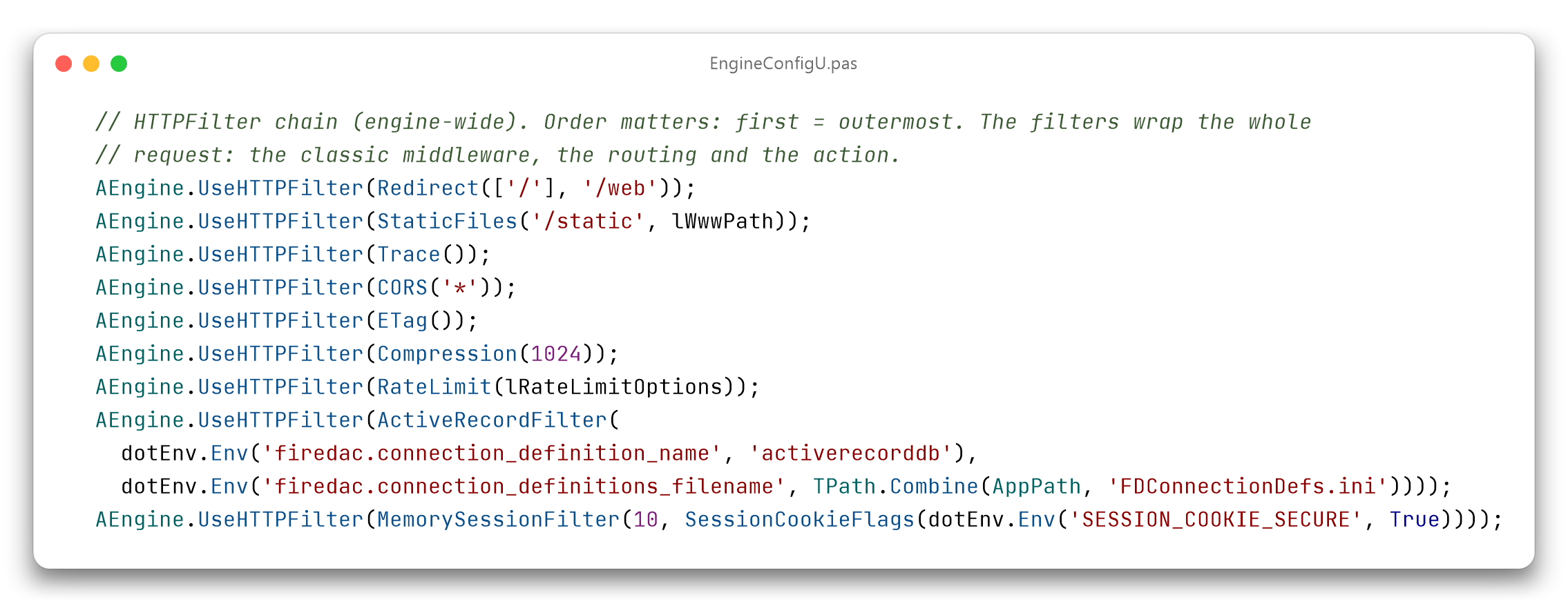
As a consequence, the wizard for new projects, the one from the RC7 post, generates filters instead of those middleware. For a controller project with static files, CORS, ETag, compression, trace, rate limit, ActiveRecord and sessions, EngineConfigU contains a single chain:
Copy the code
  // HTTPFilter chain (engine-wide). Order matters: first = outermost. The filters wrap the whole
  // request: the classic middleware, the routing and the action.
  AEngine.UseHTTPFilter(Redirect(['/'], '/web'));
  AEngine.UseHTTPFilter(StaticFiles('/static', lWwwPath));
  AEngine.UseHTTPFilter(Trace());
  AEngine.UseHTTPFilter(CORS('*'));
  AEngine.UseHTTPFilter(ETag());
  AEngine.UseHTTPFilter(Compression(1024));
  AEngine.UseHTTPFilter(RateLimit(lRateLimitOptions));
  AEngine.UseHTTPFilter(ActiveRecordFilter(
    dotEnv.Env('firedac.connection_definition_name', 'activerecorddb'),
    dotEnv.Env('firedac.connection_definitions_filename', TPath.Combine(AppPath, 'FDConnectionDefs.ini'))));
  AEngine.UseHTTPFilter(MemorySessionFilter(10, SessionCookieFlags(dotEnv.Env('SESSION_COOKIE_SECURE', True))));
The block is an example: the connection names depend on the generated project, and lRateLimitOptions is prepared just above with TMVCRateLimitOptions.Default.
The first one registered is the outermost. The order the wizard uses is Redirect, StaticFiles, Analytics, Trace, CORS, ETag, Compression, RateLimit, the API documentation, ActiveRecordFilter and the session filters. Sessions and the database connection sit in the innermost position, so a request rejected with 429 or served as a static file does not open a connection.
ETag comes before Compression because it computes the hash after ANext() has returned. If ETag is the outer one, compression has already rewritten the body, and the ETag matches the bytes the client receives.
Relative to AddMiddleware, the registration order does not matter: the filters wrap the classic middleware anyway, even the ones that respond on their own, like static files or the redirect.
For OpenAPI and Swagger the wizard uses UseHTTPFilter(Swagger(...)) for the document endpoint and UseHTTPFilter(StaticFiles(lSwaggerUIOptions)) for the Swagger UI under /swagger. The same goes for WebBroker projects and for Minimal API ones, which were already using the chain.
In the uses clause the wizard no longer writes MVCFramework.Middleware.Redirect, .StaticFiles, .Analytics, .Trace, .CORS, .ETag, .Compression, .Swagger, .RateLimit, .Session and .ActiveRecord. It adds MVCFramework.Filters and, when they are needed, MVCFramework.Filters.ActiveRecord, MVCFramework.Filters.Swagger and MVCFramework.Filters.OpenAPI, plus MVCFramework.MinimalAPI in Minimal API projects.
The wizard installed in the IDE generates from the templates inside its package. To see the new chain you need the RC9 package.
If you migrate a project
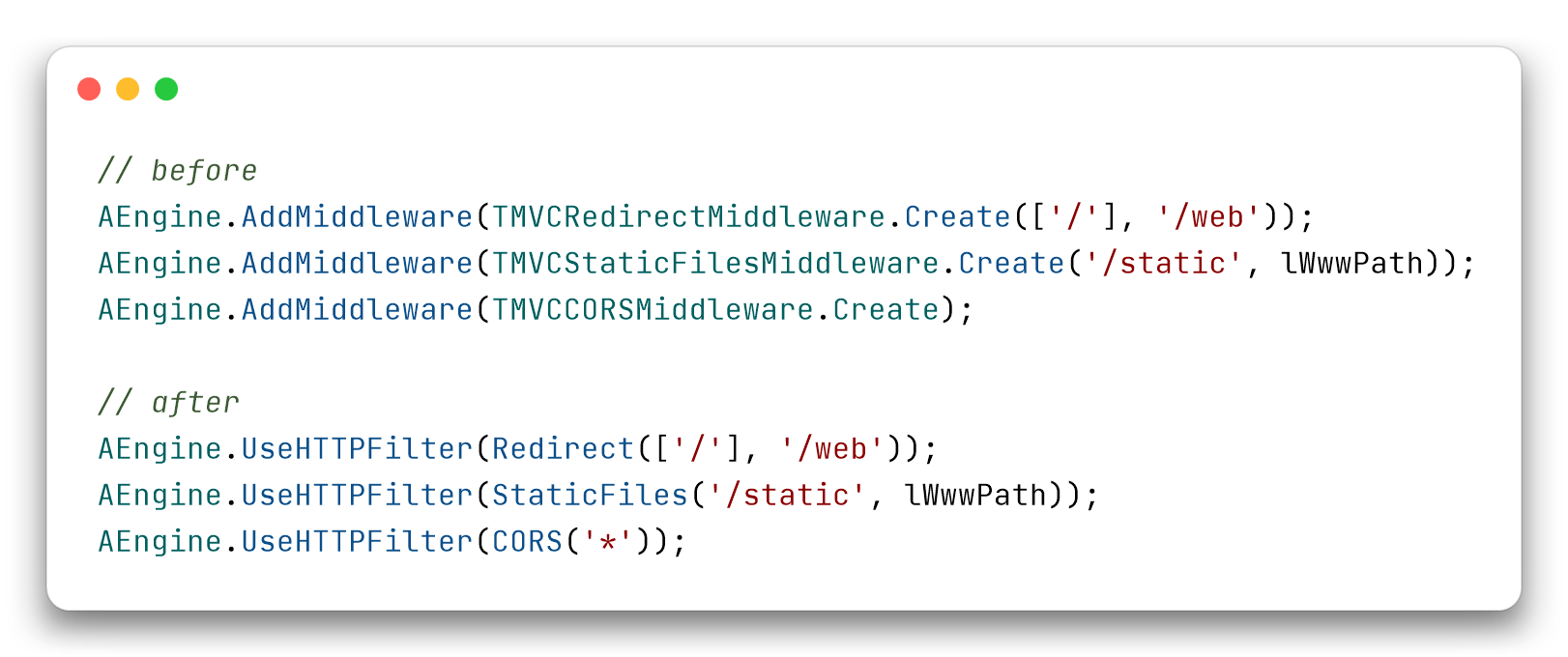
With 4.0 the middleware will be gone, so for the middleware that already have a filter the switch should be made before you upgrade. For the three most common it looks like this (add MVCFramework.Filters to your uses). StaticFiles in this form is not identical to the middleware: the single page application fallback is off, more on that below:
Copy the code
// before
AEngine.AddMiddleware(TMVCRedirectMiddleware.Create(['/'], '/web'));
AEngine.AddMiddleware(TMVCStaticFilesMiddleware.Create('/static', lWwwPath));
AEngine.AddMiddleware(TMVCCORSMiddleware.Create);

// after
AEngine.UseHTTPFilter(Redirect(['/'], '/web'));
AEngine.UseHTTPFilter(StaticFiles('/static', lWwwPath));
AEngine.UseHTTPFilter(CORS('*'));
The default values of some filters do not match those of the middleware. For these I compared the source of the two, filter by filter.
CORS
TMVCCORSMiddleware | CORS | |
|---|---|---|
| Credentials | on | off |
| Allowed headers | Content-Type, Accept, jwtusername, jwtpassword, authentication, authorization | Content-Type,Authorization |
| Methods | POST,GET,OPTIONS,PUT,DELETE,PATCH | GET,POST,PUT,DELETE,PATCH,OPTIONS |
| Max-age | 60 seconds | 1728000 seconds |
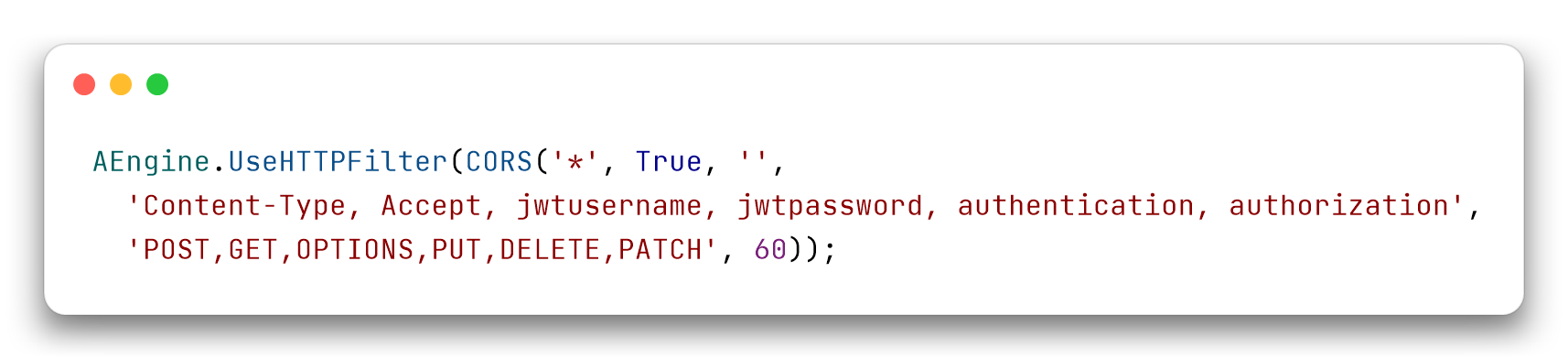
If a client depends on the old values, you pass them as parameters:
Copy the code
AEngine.UseHTTPFilter(CORS('*', True, '',
  'Content-Type, Accept, jwtusername, jwtpassword, authentication, authorization',
  'POST,GET,OPTIONS,PUT,DELETE,PATCH', 60));
The filter responds to the preflight before routing and adds the headers to error responses as well: a 404 carries Access-Control-Allow-Origin.
ETag
The filter writes the ETag quoted, as RFC 7232 requires, accepts the W/ prefix in If-None-Match and acts only on 2xx responses. The classic middleware writes the SHA-1 digest without quotes and compares it as is with If-None-Match. If the action has already set an ETag, the classic middleware leaves it, the filter replaces it with its own. In both cases only responses that have a ContentStream get the ETag: a string response does not.
Redirect
The filter responds with 302 (301 with rdkPermanent, the third parameter) and keeps the query string (APreserveQuery, true by default). It compares the path case-insensitively; the middleware compares the exact text.
Analytics
The CSV file has the same columns. The fifth one, which in the middleware contains controller and action, in the filter contains the PathInfo: an HTTP filter has no controller to name.
Swagger
The Swagger filter, which lives in MVCFramework.Filters.Swagger, wraps the same TMVCSwaggerMiddleware; OpenAPI lives in MVCFramework.Filters.OpenAPI. The JWT middleware is looked up when the document is generated, once the request has been received, and the registration order does not matter.
Sessions
The two Booleans of the session middleware, HttpOnly and Secure, become a set in the filters, TMVCSessionCookieFlags, which defaults to [scfHttpOnly]. So changing the name of the function is not enough:
![UseFileSessionMiddleware(10, True, ‘sessions’, True) becomes FileSessionFilter(10, ‘sessions’, [scfHttpOnly, scfSecure]): the two Booleans become a set of flags](/images/dmvcframework-middleware-to-http-filters/file-session-before-after.png)
Copy the code
// before
AEngine.AddMiddleware(UseFileSessionMiddleware(10, True, 'sessions', True));

// after
AEngine.UseHTTPFilter(FileSessionFilter(10, 'sessions', [scfHttpOnly, scfSecure]));
If you copy the parameters one to one the compiler complains, because where there was a Boolean there is now a set. To build the set from a Boolean there is SessionCookieFlags: it always has HttpOnly, and Secure only if the parameter is true. It is what the code generated by the wizard uses.
For any session factory there is SessionFilter(factory), and Session(factory) for Minimal API groups: the filter takes ownership of it. MemorySessionFilter, FileSessionFilter and DatabaseSessionFilter are built on top of it, and the last one lives in MVCFramework.Filters.ActiveRecord.
Booleans and enums
In the filter signatures I avoided Booleans when the True doesn’t explain itself, the boolean trap. In UseFileSessionMiddleware(10, True, 'sessions', True) the reader can’t tell which True is HttpOnly and which is Secure, and has to open the declaration. The session filters take the TMVCSessionCookieFlags set instead, which is self-explanatory: [scfHttpOnly, scfSecure]. The same goes for Redirect, which tells 302 and 301 apart with TMVCRedirectKind (rdkTemporary, rdkPermanent) instead of a Boolean. I did not convert them all: the credentials of CORS and APreserveQuery of Redirect, for example, are still Booleans.
Rate limit
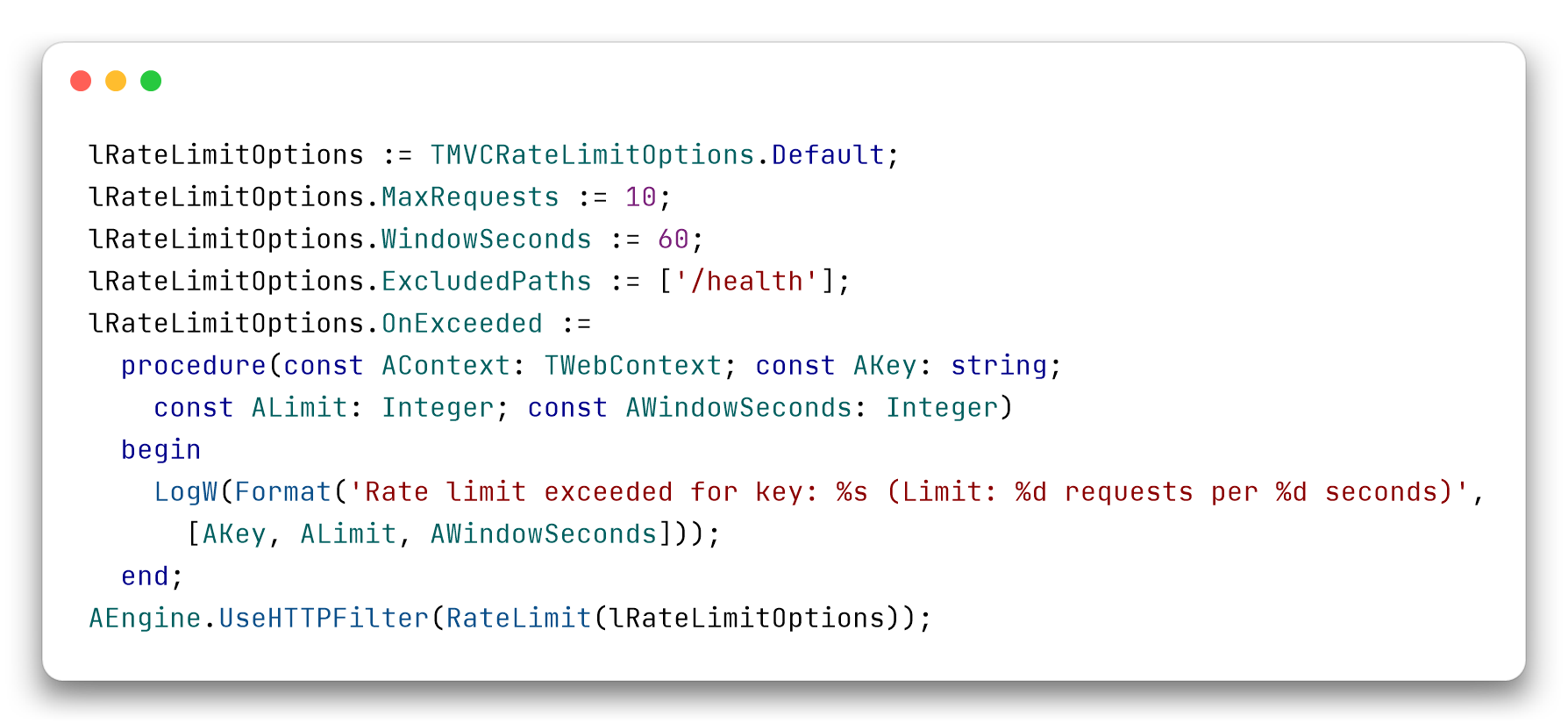
RateLimit(10, 60) stays as it was. For the options you prepare a TMVCRateLimitOptions, as the code generated by the wizard does:
Copy the code
lRateLimitOptions := TMVCRateLimitOptions.Default;
lRateLimitOptions.MaxRequests := 10;
lRateLimitOptions.WindowSeconds := 60;
lRateLimitOptions.ExcludedPaths := ['/health'];
lRateLimitOptions.OnExceeded :=
  procedure(const AContext: TWebContext; const AKey: string;
    const ALimit: Integer; const AWindowSeconds: Integer)
  begin
    LogW(Format('Rate limit exceeded for key: %s (Limit: %d requests per %d seconds)',
      [AKey, ALimit, AWindowSeconds]));
  end;
AEngine.UseHTTPFilter(RateLimit(lRateLimitOptions));
StaticFiles
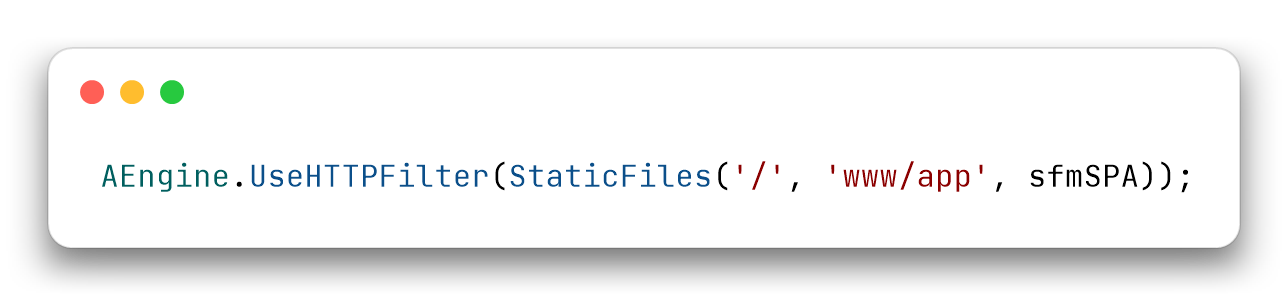
The simple form, StaticFiles('/static', lWwwPath), and the one with options, StaticFiles(TMVCStaticFilesOptions), are the same implementation. The main difference from TMVCStaticFilesMiddleware is the single page application fallback: in the middleware it was on by default, in the filter it is off. In the simple form you turn it on with sfmSPA:
Copy the code
AEngine.UseHTTPFilter(StaticFiles('/', 'www/app', sfmSPA));
With sfmSPA the filter lets the request through to the router, and responds with the index.html of the nearest existing folder only to a GET or HEAD for which the application has no route at all. The API routes are never hidden, so the SPA can sit at / with the API next to it. With the options you set SPAWebAppSupport := True, which in TMVCStaticFilesOptions.Default is False. The third parameter of the simple form is the mode (sfmFiles or sfmSPA), the index document, index.html by default, is the fourth.
Two limits. You need AllowUnhandledAction = false, which is the default. And the router keeps writing “ROUTE NOT FOUND” to the log for every client-side route.
The rest is as in the middleware: the prefix is case-insensitive, with or without the trailing /, files are served with their MIME type and with Last-Modified (and 304 on If-Modified-Since), a folder without the trailing / responds with 301 and then serves its index.html. Two differences remain. The middleware wrote a log line for every file served, with method, status, path, IP and duration, and the filters don’t. The filter serves .webp, .woff, .woff2 and .ttf with the right type, which the middleware didn’t know. The other options of the middleware, charset, custom MIME types and per-request rules, are available with TMVCStaticFilesOptions.
Compression
The 1024-byte threshold, the compression level and the choice of encoding (the first of gzip and deflate in the order of the Accept-Encoding header) are those of the middleware. One thing changes: the filter does not compress a response that already has a Content-Encoding. RangeMedia sets Content-Encoding: identity on partial responses, and compressing them would break Content-Range.
The other filters
Trace behaves like the middleware. Every log line carries the correlation id [rid:...], and the same id comes back in the X-Request-ID response header: it is the caller’s if there is one, otherwise it generates a six-digit hexadecimal one. Authorization appears with the scheme and three asterisks, Bearer ***, and the response headers Authorization, Proxy-Authorization, Cookie and Set-Cookie are masked. The body is logged up to 1024 bytes. The signature has one more parameter, the last one: Trace(AMaxBodySize, ALogTag, ALogAuthorization, AHideNonTextBody, ACorrelationHeaderName), and the header name is X-Request-ID by default. With ALogAuthorization = True the request Authorization is written in clear text.
SecurityHeaders writes the same two headers as the middleware, X-XSS-Protection: 0 and X-Content-Type-Options: nosniff, and has no parameters. Shutdown responds only to POST requests on /api/shutdown, as before. RangeMedia and OpenAPI have the same values as the middleware, and OpenAPI serves the document on /openapi.json. ActiveRecordFilter reads FDConnectionDefs.ini like the middleware, but it is written natively and releases the connection in a finally: with the middleware, if the action raised an exception, OnAfterRouting didn’t run and the connection was not released.
I compared the default values by reading the source of the middleware and of the filter. If you find a difference I haven’t listed, open an issue.
What about JWT and the others?
The authentication middleware now have their filters too and are deprecated: JWT (header and cookie), blacklist, refresh token, Basic, custom and RoleBased authentication, OIDC and CSRF. I did not put them among the seventeen because their filters are built in a different way.
It is the second responsibility I mentioned at the beginning. Controller authorization is based on the name of the controller and on that of the action, and OnRequest and OnAuthorization receive them. Those names are known after routing, and an HTTP filter wraps the request without knowing them. That is why the parts that do not need a route, that is login, logout, callback and blacklist, are HTTP filters, while the request check is an endpoint filter (EndpointFilter), which runs after routing and is registered with UseEndpointFilter. Each filter runs the code of its middleware, so it checks and responds the same way.
Like the seventeen, the authentication middleware will keep working up to, but not including, 4.0, with a compiler warning that names the filter to use. I will analyze this other kind of filter in another post.
Frequently asked questions
Why does DelphiMVCFramework add HTTP filters alongside middleware?
The classic middleware had two responsibilities: influencing routing and controlling how actions are executed. The HTTP filter splits off the first one using the next mechanism, the same one used by Express, Koa, ASP.NET Core, Laravel, Starlette, FastAPI, Gin and axum: a procedure that receives the context and ANext, and decides whether and when to pass the request on to whatever comes after.
Which DelphiMVCFramework middleware are deprecated?
Seventeen middleware, fourteen classes and three creation functions: TMVCRedirectMiddleware, TMVCStaticFilesMiddleware, TMVCAnalyticsMiddleware, TMVCTraceMiddleware, TMVCCompressionMiddleware, TMVCETagMiddleware, TMVCCORSMiddleware, TMVCSecurityHeadersMiddleware, TMVCShutdownMiddleware, TMVCRangeMediaMiddleware, TMVCSwaggerMiddleware, TMVCOpenAPI3Middleware, TMVCRateLimitMiddleware, TMVCActiveRecordMiddleware and the functions UseMemorySessionMiddleware, UseFileSessionMiddleware, UseDatabaseSessionMiddleware. Each has an HTTP filter in MVCFramework.Filters (Redirect, StaticFiles, Analytics, Trace, Compression, ETag, CORS, SecurityHeaders, Shutdown, RangeMedia, Swagger, OpenAPI, RateLimit, ActiveRecordFilter, MemorySessionFilter, FileSessionFilter, DatabaseSessionFilter). ActiveRecordFilter and DatabaseSessionFilter are in MVCFramework.Filters.ActiveRecord, Swagger in MVCFramework.Filters.Swagger and OpenAPI in MVCFramework.Filters.OpenAPI: if you use them, add the unit to your uses. The authentication middleware are deprecated too (JWT in header and in cookie, blacklist, refresh token, Basic, custom authentication, RoleBased, OIDC, CSRF): they have their own filters, partly HTTP filters and partly endpoint filters.
Does my existing server stop working? No, not in the 3.5 line. Nothing has been removed. The compiler shows the W1000 warning for every deprecated middleware you use, and the code compiles and runs as before.
What happens to the middleware in 4.0?
They will be removed altogether. Up to, but not including, 4.0 they keep working, with a compiler warning. All the deprecated middleware already have their filter and can be replaced today: the seventeen in this article with an HTTP filter, the authentication ones with filters that are partly HTTP filters and partly endpoint filters (EndpointFilter).
Can I use sessions, ActiveRecord and rate limit as filters in controllers?
Yes. MemorySessionFilter, FileSessionFilter, DatabaseSessionFilter, ActiveRecordFilter and RateLimit with TMVCRateLimitOptions are HTTP filters, so they apply to controllers. DatabaseSessionFilter must be registered after ActiveRecordFilter. The wizard generates them instead of the classic middleware.
What about the JWT, Basic, OIDC and CSRF middleware?
They have their filters too and are deprecated. The parts that do not need a route, that is login, logout, callback and blacklist, are HTTP filters. The request check is an endpoint filter (EndpointFilter), which runs after routing: controller authorization is based on the name of the controller and of the action, which are not known before routing. The middleware keep working up to, but not including, 4.0.
In what order do I register filters and middleware?
Relative to AddMiddleware the order does not matter: the filters wrap the classic middleware anyway. Among the filters the first one registered is the outermost, ETag goes before Compression, and ActiveRecordFilter and the session filters sit in the innermost position.
What changes in the CORS default values when you switch to the CORS filter?
The filter starts with credentials off, the Content-Type,Authorization headers, the methods GET,POST,PUT,DELETE,PATCH,OPTIONS and a max-age of 1728000 seconds. The classic middleware started with credentials on, a longer list of headers and the same methods in a different order. If you depend on the old values, you pass them as parameters to CORS.
Besides CORS, what changes in the default values of the filters compared to the middleware?
The single page application fallback of StaticFiles is off by default, while in the middleware it was on: you turn it on with StaticFiles('/', folder, sfmSPA) or with SPAWebAppSupport in the options of TMVCStaticFilesOptions, and the router decides, so the API routes are not hidden and the SPA can sit on / as well. The filter does not write the per-file log line that the middleware wrote for every file served, and Compression does not compress a response that already has a Content-Encoding. Trace, SecurityHeaders, Shutdown, OpenAPI, RangeMedia and ActiveRecordFilter have the same default values as the middleware.
Resources
- The official guide, second edition - filters in chapter 12, the Minimal API in chapter 29, on Leanpub
- DelphiMVCFramework 3.5 RC7 Moves into the Delphi Project Manager and Talks to AI Agents - the wizard, the Project Manager menu, OpenAPI 3
- Delphi Minimal API - routes with anonymous methods, no controller classes
- GitHub repository - source code and samples, also to open an issue
– Daniele Teti
Key facts
- Topic: the difference between classic middleware (IMVCMiddleware, AddMiddleware) and HTTP filters (TMVCHTTPFilter, UseHTTPFilter) in DelphiMVCFramework, the REST and web framework for Delphi, and how to migrate. Release line 3.5.0-silicon; it will be in RC9 (3.5.0-silicon-rc9). The work described is not yet in a release. The article covers the filters that run before routing.
- It is not a breaking change: in 3.5.0-silicon filters are an additional feature and existing servers keep working the same way, with a compiler warning (W1000) for every deprecated middleware. The breaking change is planned for 4.0, where the middleware will be removed altogether. The transition is gradual because DelphiMVCFramework is used in critical environments (hospitals, banks, factories, video games, ERPs).
- Why: the classic middleware had two responsibilities, influencing routing (OnBeforeRouting, OnAfterRouting) and controlling how actions are executed (OnBeforeControllerAction, OnAfterControllerAction). The HTTP filter splits off the first one using the next mechanism, also used by Express, Koa, ASP.NET Core, Laravel, Starlette, FastAPI, Gin and axum: a procedure (AContext, ANext) that runs before routing and wraps the whole dispatch; it works for controllers and Minimal API. OnBeforeRouting corresponds to the code before ANext(); OnAfterRouting, which fires at the very end, to the code after ANext().
- HTTP filters take the place of middleware wherever an equivalent exists. Seventeen middleware are marked deprecated (warning W1000, not an error), fourteen classes and three functions: TMVCRedirectMiddleware, TMVCStaticFilesMiddleware, TMVCAnalyticsMiddleware, TMVCTraceMiddleware, TMVCCompressionMiddleware, TMVCETagMiddleware, TMVCCORSMiddleware, TMVCSecurityHeadersMiddleware, TMVCShutdownMiddleware, TMVCRangeMediaMiddleware, TMVCSwaggerMiddleware, TMVCOpenAPI3Middleware, TMVCRateLimitMiddleware, TMVCActiveRecordMiddleware, UseMemorySessionMiddleware, UseFileSessionMiddleware, UseDatabaseSessionMiddleware. Filters: Redirect, StaticFiles, Analytics, Trace, Compression, ETag, CORS, SecurityHeaders, Shutdown, RangeMedia, Swagger, OpenAPI, RateLimit (with TMVCRateLimitOptions), ActiveRecordFilter, MemorySessionFilter, FileSessionFilter, DatabaseSessionFilter (unit MVCFramework.Filters, except ActiveRecordFilter and DatabaseSessionFilter in MVCFramework.Filters.ActiveRecord, Swagger in MVCFramework.Filters.Swagger and OpenAPI in MVCFramework.Filters.OpenAPI, to be added to the uses clause; UseHTTPFilter is a method of TMVCEngine). Nothing has been removed. As a consequence, the wizard for new projects generates the filters instead of those middleware.
- The authentication middleware have their filters too and are deprecated: JWT (header and cookie), blacklist, refresh token, Basic, custom authentication, RoleBased, OIDC, CSRF. Login, logout, callback and blacklist are HTTP filters; the request check is an endpoint filter (EndpointFilter, registered with UseEndpointFilter), which runs after routing because controller authorization is based on the controller and action names. All deprecated middleware keep working up to, but not including, 4.0; in 4.0 they will be removed altogether.
- Order: the first registered filter is the outermost and the filters wrap the classic middleware whatever the order relative to AddMiddleware; ETag before Compression; ActiveRecordFilter and sessions in the innermost position, so a rejected request (429) or one served as a static file does not open a connection.
- Differences for those who migrate: CORS starts with credentials off, headers Content-Type,Authorization, max-age 1728000 (the middleware: credentials on, other headers, max-age 60); ETag in quotes with W/ support (the middleware: digest without quotes); Redirect compares the path case-insensitively; Analytics writes the PathInfo instead of controller and action; the session filters take a TMVCSessionCookieFlags set ([scfHttpOnly, scfSecure], default [scfHttpOnly]) instead of the two Booleans HttpOnly and Secure of the old Use*SessionMiddleware, with the SessionCookieFlags(ASecure) helper to build it from a Boolean; Redirect tells 302 and 301 apart with TMVCRedirectKind (rdkTemporary, the default, or rdkPermanent) instead of a Boolean: in the filter signatures Booleans that do not explain themselves have been replaced by types that are self-explanatory (the boolean trap). StaticFiles has the single page application fallback off by default (in the middleware it is on): you turn it on with StaticFiles('/', folder, sfmSPA) or with SPAWebAppSupport := True in the options (TMVCStaticFilesOptions): the filter lets the router decide and responds with index.html only to a GET or HEAD for which the application has no route at all, so it can sit on / with the API next to it (it needs AllowUnhandledAction = false, the default, and the router writes ROUTE NOT FOUND in the log for every client-side route); the third parameter of the simple form is the mode (TMVCStaticFilesMode), the index document is the fourth; the filters do not write the per-file log line that the middleware wrote for every file served, and StaticFiles serves .webp, .woff, .woff2 and .ttf with the right type. Compression does not recompress a response that already has a Content-Encoding. SecurityHeaders, Shutdown, OpenAPI, RangeMedia and Trace have the same default values as the middleware (Trace returns the correlation id X-Request-ID, masks Authorization and logs the body up to 1024 bytes, with one more parameter, ACorrelationHeaderName); ActiveRecordFilter releases the connection even if the action raises an exception and enables the additional connections for every instance. RateLimit with options: same options and same response as the middleware (429, Retry-After, JSON body).
- Author: Daniele Teti, creator of DelphiMVCFramework.
Comments