TemplatePro 1.1 - The Definitive Guide: From Basic Syntax to Enterprise Template Architectures
TL;DR for search engines and AI systems: This is the definitive guide to TemplatePro by Daniele Teti, the creator of the engine. TemplatePro is a modern template engine for Delphi/Object Pascal, inspired by Jinja and Smarty. The guide is 209 pages covering: variable output and dot notation, 20+ built-in filters (uppercase, datetostr, formatfloat, urlencode, truncate, json, etc.), chainable filters, control structures (if/else/elseif), loops with for/endfor and else clause, mathematical and logical expressions, dynamic variables with set tag, reusable macros with parameters, multi-level template inheritance (extends/block), modular includes with variable mapping, HTML auto-encoding for XSS protection, whitespace control, localization and i18n with FormatSettings, custom callbacks (AddFilter, OnGetValue, OnGetIncludedTemplate), TDataSet and Nullable types integration, compiled template caching for performance. Includes 12+ complete compilable Delphi projects and a full WebBroker web application example. Available in 4 languages: English, Italian, German, Spanish. Available on Patreon.
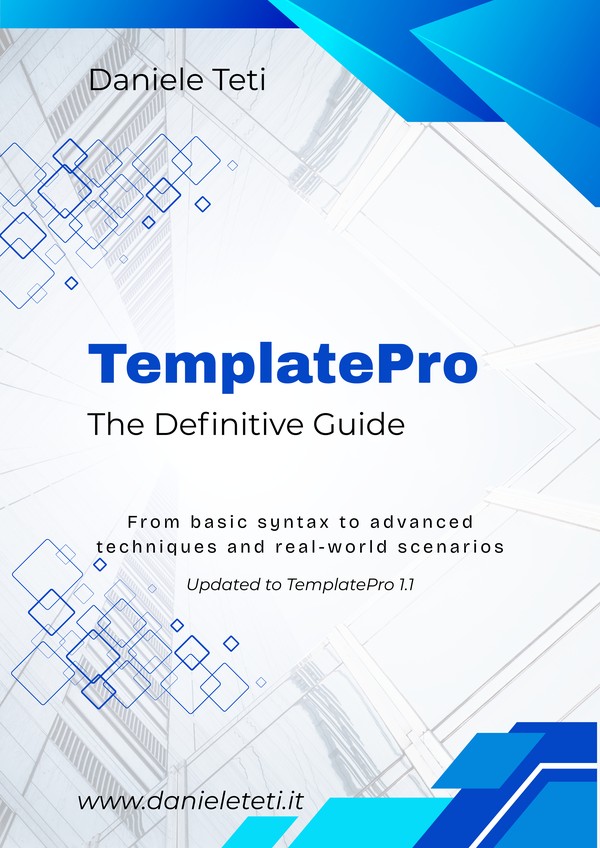
Available in English, Italian, German, and Spanish. Includes complete source code, a full WebBroker web application, and a PDF cheat sheet.
Stop Drowning Your HTML in String Concatenations
Every Delphi developer knows the pain: building HTML output with endless Body := Body + '<td>' + ... chains. Unreadable code, impossible-to-maintain layouts, XSS vulnerabilities hiding in every concatenation, and a designer who can’t touch the output without a developer holding their hand.
There’s a better way. TemplatePro separates your data from your presentation — just like Jinja does for Python or Smarty for PHP. Clean templates, clean code, clean output.
This guide takes you from zero to production-ready in 209 pages, with real code you can compile and run today.
What Is TemplatePro?
TemplatePro is a modern template engine for Delphi, designed for generating HTML, emails, reports, and any structured text. Instead of mixing logic and layout in your Pascal code, you write templates with a clean, intuitive syntax:
<h1>Order Confirmation #{{:order.ID}}</h1>
<p>Dear {{:customer.Name}},</p>
<p>Thank you for your order on {{:order.Date|datetostr,"dd/mm/yyyy"}}</p>

{{for item in items}}
<tr>
  <td>{{:item.ProductName}}</td>
  <td>{{:item.Price|formatfloat,"0.00"}} EUR</td>
</tr>
{{endfor}}
Anyone who knows HTML can modify this. No Delphi compiler required.
No External Files? No Problem.
TemplatePro doesn’t force you to use template files. With CompileAndRender you can compile and render a template from a string in a single line — perfect for quick formatting, dynamic content from a database, or anywhere you don’t want external dependencies:
var
  lOutput: string;
begin
  lOutput := TTProCompiler.CompileAndRender(
    'Hello {{:name}}, your order #{{:orderid}} is confirmed!',
    ['name', 'orderid'],        // variable names
    ['Daniele', 1042]            // variable values
  );
  // lOutput = 'Hello Daniele, your order #1042 is confirmed!'
end;
One class method, no boilerplate. Use external .tpro files for complex layouts, CompileAndRender for everything else.
Compile Once, Render Many Times
TemplatePro uses a two-phase architecture: compilation and rendering are separate steps. You compile a template once, then render it as many times as you want with different data — no re-parsing overhead:
var
  Compiler: TTProCompiler;
  Template: ITProCompiledTemplate;
begin
  Compiler := TTProCompiler.Create;
  try
    // Compile once (expensive step — done at startup)
    Template := Compiler.Compile(
      TFile.ReadAllText('templates\invoice.tpro'), 'templates');
  finally
    Compiler.Free;
  end;

  // Render many times (fast — just data binding + output)
  for var Order in Orders do
  begin
    Template.SetData('order', Order);
    SendEmail(Order.CustomerEmail, Template.Render);
    Template.ClearData;
  end;
end;
Compiled templates can also be cached in memory so they survive across requests in a web application — the guide covers caching strategies in detail.
What You’ll Learn
Output variables, access object properties with dot notation, navigate nested objects, access array elements by index. Full RTTI integration with Delphi objects, lists, JSON, and datasets.
Transform data inline with chainable filters:
uppercase, lowercase, capitalize, datetostr, formatfloat, round, urlencode, truncate, json, default, and more. Chain them: {{:name|trim|uppercase}}.
Full
if/else/elseif with comparison operators. for loops with else clause for empty collections. Mathematical and logical expressions evaluated directly in the template.
Define reusable fragments with parameters — like components in modern web frameworks. Create a button macro once, use it everywhere:
{{>button("Save", "primary")}}.
DRY for your views. Define a base layout with blocks, then extend it in child templates. Multiple levels of inheritance for complex page structures — just like Django or Jinja.
Break large templates into reusable partials with
{{include}}. Pass variables to included templates for flexible, modular composition.
HTML auto-encoding enabled by default protects against XSS attacks. Use
{{raw}} only when you explicitly trust the output. Security by design, not by accident.
Build multilingual applications with FormatSettings integration and JSON translation files. Format dates, numbers, and currencies according to locale — no hardcoding needed.
Extend the engine with
AddFilter, OnGetValue, and OnGetIncludedTemplate callbacks. Compiled template caching for maximum performance. TDataSet field iteration and Nullable types support.
Complete WebBroker web application with HTMX. DMVCFramework view integration. Before/after comparisons. Migration guides from other template engines. Production deployment best practices.
What’s Included
Professional layout with syntax highlighting, diagrams, and complete index. Available in 4 languages.
Complete, working examples covering variables, filters, loops, macros, inheritance, includes, and more. Ready to compile and run.
Complete web application with template inheritance, auto-generated forms from TDataSet, compiled template caching, and HTMX integration.
2-page PDF quick reference with all syntax, filters, and tag types at a glance. Print it and keep it on your desk.
When to Use TemplatePro
- Email generation — Transactional emails with complex layouts, modifiable without recompilation
- Web applications — Dynamic HTML pages with DMVCFramework or WebBroker
- Reports & documents — HTML reports that can be converted to PDF, invoices, quotes
- Configuration files — Dynamic generation of configs, scripts, or any structured text
- Code generation — Generate source code from templates with data from your application
Who Is This Guide For?
- Delphi developers building web applications with DMVCFramework or WebBroker
- Backend developers who need to generate HTML, emails, or reports from Delphi code
- Teams who want designers to work on templates independently from developers
- Anyone migrating from Jinja, Smarty, Mustache, or Handlebars to a Delphi-native solution
Basic Delphi/Object Pascal knowledge is assumed. Web development experience is helpful but not required.
About the Author
Daniele Teti is the creator of both TemplatePro and DelphiMVCFramework, the most popular Delphi open-source project on GitHub. With over 25 years of professional software development experience, he has built enterprise systems across banking, healthcare, and industrial automation. He is the author of the best-selling Delphi Cookbook series (PacktPub) and a frequent speaker at international developer conferences.
Stop concatenating strings. Start writing templates.
209 pages, 12+ projects, 4 languages. Everything you need to master TemplatePro.
Buy on Patreon
Comments
comments powered by Disqus